Work orders
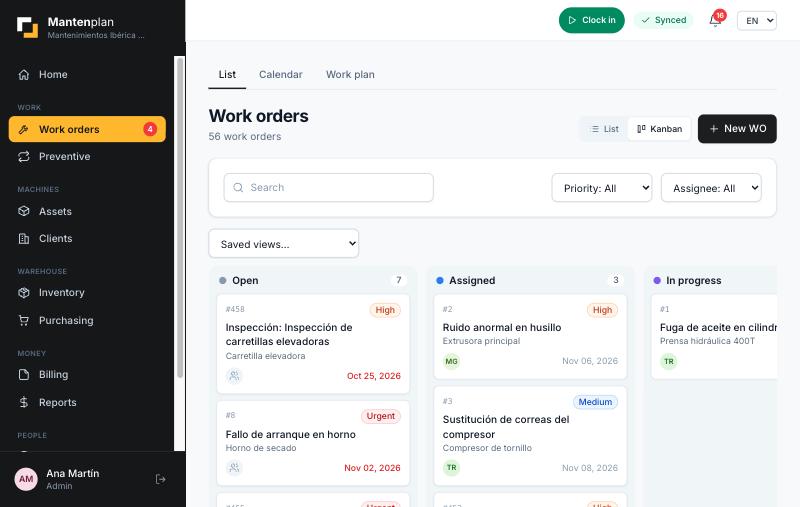
Open, assign and close jobs with clear statuses, time, comments, photos and parts consumed. Everything stays in the machine’s history.
Assets, work orders, preventive maintenance, inventory, timesheets, quotes and invoices in one place. With a technician app that also works without coverage.
Installable web app (PWA) · Spanish, English and French · Data isolated per company
Generated automatically by the preventive plan
Mantenplan in 34 seconds: automatic preventive maintenance, technicians without coverage, sensors and invoicing.
Mantenplan is CMMS software (computerised maintenance management system, GMAO in Spanish and French) in the cloud for maintenance companies and technical departments. It brings together assets, work orders, preventive maintenance, inventory, purchasing, timesheets, quotes, invoices and contracts with SLAs, and lets technicians work from their phone without a connection.
Fewer spreadsheets, fewer phone calls and more clarity about what was done, when and how much it cost.
Open, assign and close jobs with clear statuses, time, comments, photos and parts consumed. Everything stays in the machine’s history.
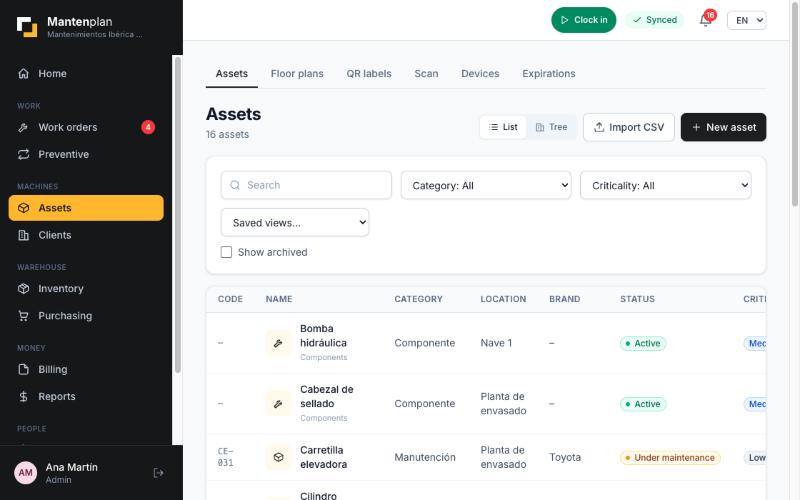
Organise machines and installations in a tree (site, line, equipment, component), with clients, floor plans, documents and custom fields.
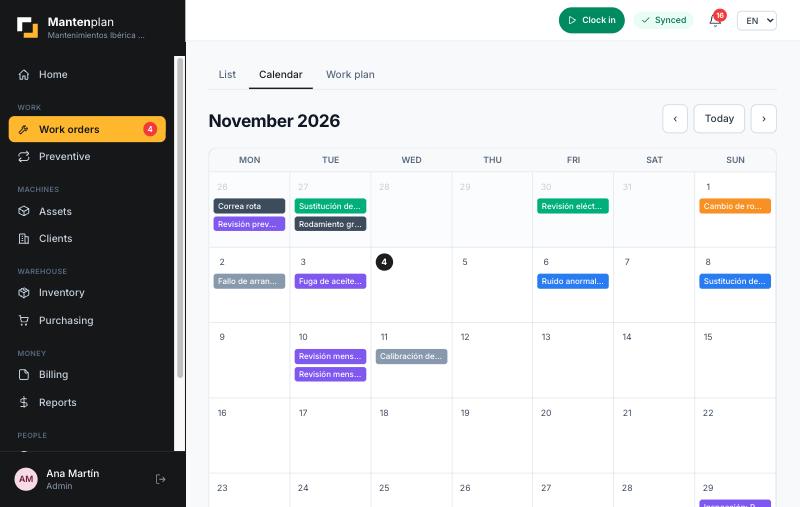
Schedule checks by calendar or by usage meter. Work orders are generated on their own with the lead time you set.
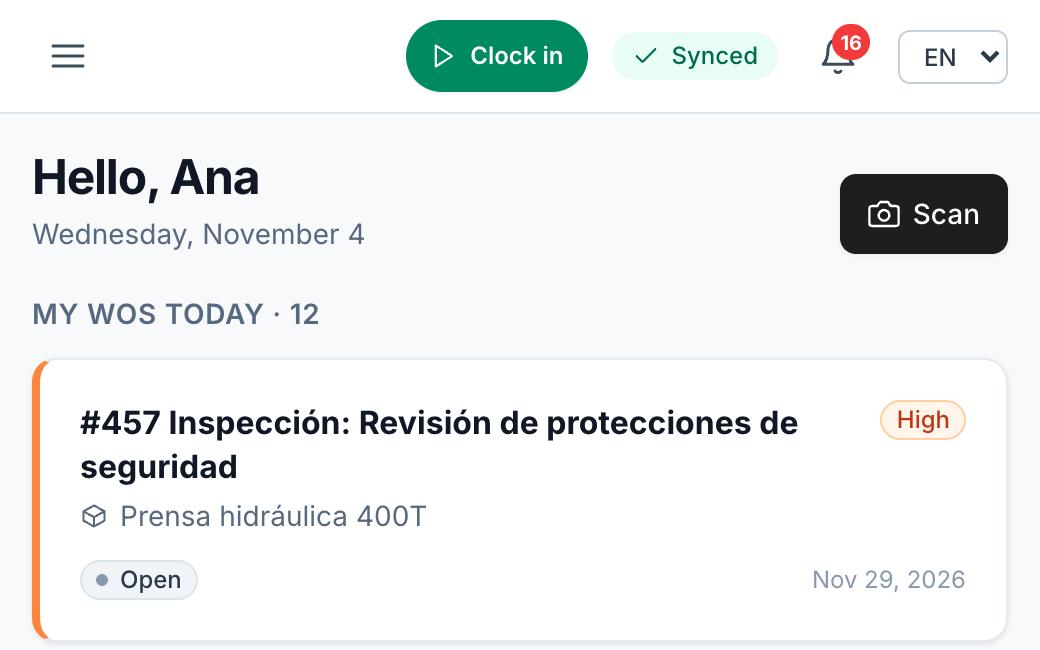
An installable app that works offline: check the day’s work orders and record time, comments, readings and consumption. It syncs when you are back online.
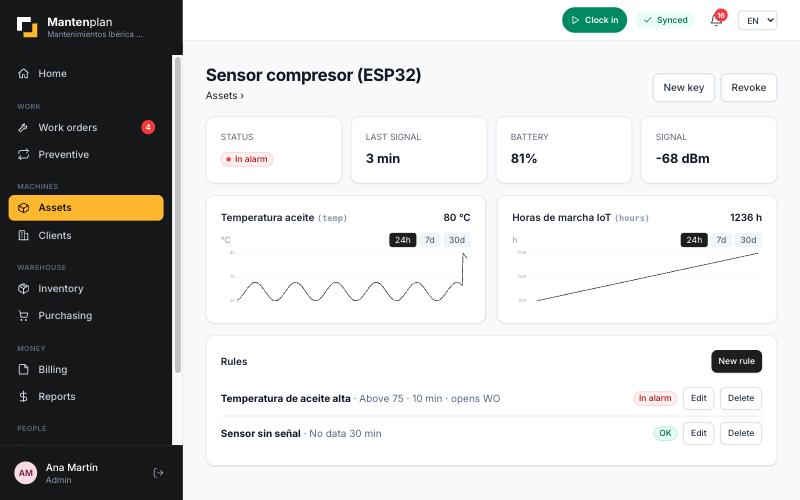
Connect devices, store their readings in each machine’s meters and define alarm rules that open work orders automatically.
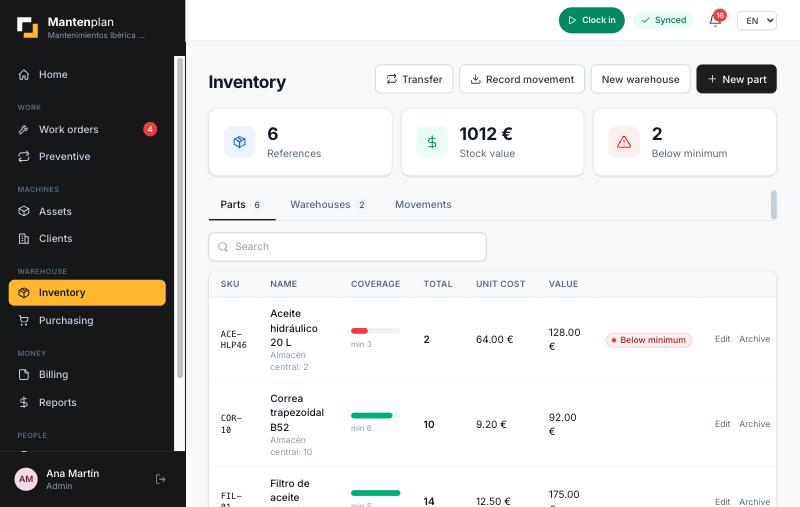
Spare-parts stock, movements, supplier orders and supplier invoices, linked to the work orders that consume each part.
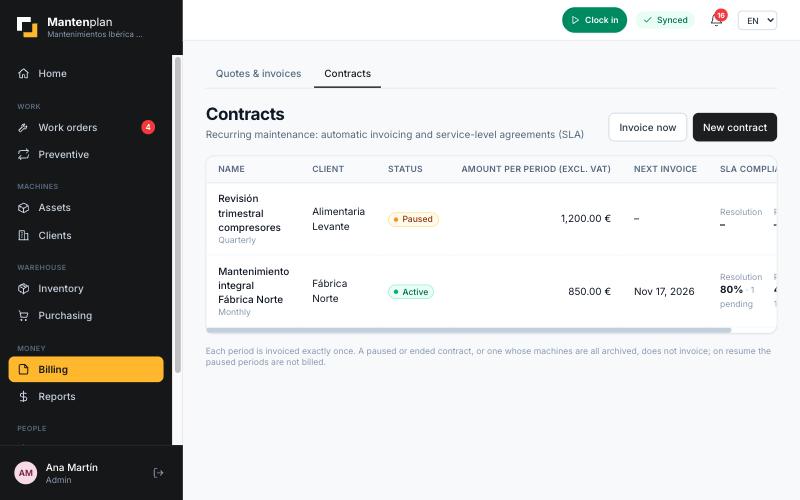
Issue quotes and invoices (with credit notes) and manage maintenance contracts with SLAs and recurring invoicing.
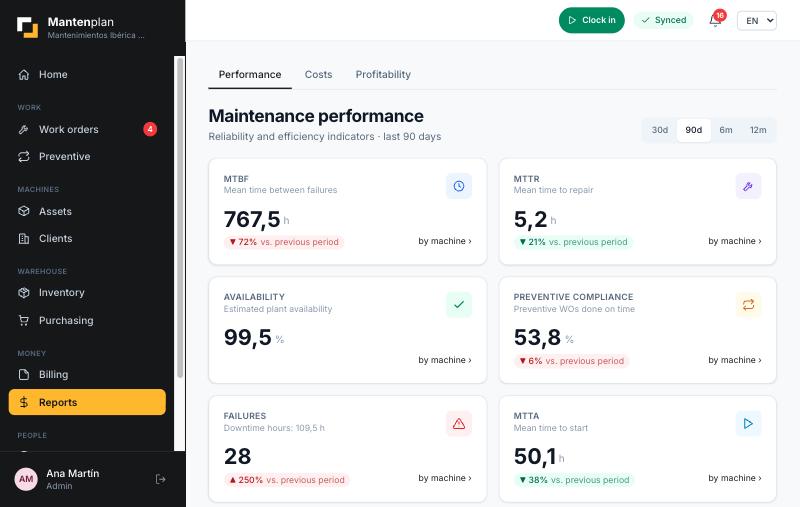
Measure MTBF, response times and costs. Compare each job’s cost budget with the actual cost and the margin.
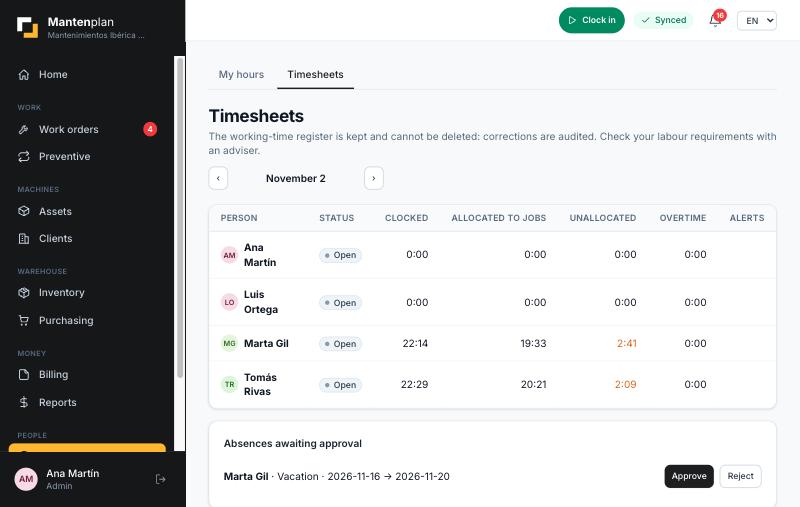
Time recording and weekly timesheets per person, approved by managers, to control the labour cost of each job.
Create your company, invite the team and load your machines and installations, with their locations and clients. Start with the most critical ones.
Define plans by calendar or by meter. Mantenplan generates the work orders and distributes them by priority and each person’s workload.
Technicians close work orders from their phone. You see the history per machine, the indicators and the profitability of each job.
If you serve clients: manage their installations, contracts with SLAs, quotes, invoices and the real margin of each job.
If you look after a plant: organise your assets, plan preventive maintenance, control spare parts and reduce unplanned downtime.
If you manage buildings and installations: periodic inspections, alerts, warranties and traceability of every intervention.
If you maintain heating and cooling equipment at client sites: periodic checks, records and technicians in the field.
We prefer to tell you clearly before you start.
Practical content to choose, implement and get the most out of maintenance software.
What a CMMS (GMAO) is, what it is for, which modules it includes, what benefits it brings and when to implement it in your maintenance company.
Buying guideA 12-criteria checklist to choose CMMS software: mobile usability, preventive maintenance, offline mode, reports, costs, integrations and data protection.
ComparisonCMMS vs Excel for maintenance: what each does well, the limits of the spreadsheet and signs that it is time to move to CMMS software.
MaintenanceWhat preventive maintenance is, its types (by calendar and by usage), examples, advantages and how to create a plan step by step with task lists.
IndicatorsLearn to calculate MTBF, MTTR and availability with examples, and which other maintenance KPIs are worth measuring: preventive compliance and cost per asset.
ProcessesWhat a maintenance work order (WO) is, which fields it should have, its statuses and good practices so technicians fill it in properly.
A CMMS (computerised maintenance management system, GMAO in Spanish and French) is software that brings a company’s assets, work orders, preventive maintenance, spare parts and maintenance costs into a single system, instead of spreading them across spreadsheets, paper and messages.
For companies that provide maintenance services to clients (machinery, installations, HVAC, lifts…) and for industrial maintenance or facility management departments that need to organise their assets, plan preventive maintenance and control the cost of every job.
Yes. It is an installable web app (PWA): technicians can check their work orders for the day and record time, comments, readings and consumption without coverage, and everything syncs when the connection returns.
Excel stores data, but it does not warn you when a preventive task is due, does not link a breakdown to the spare part consumed, does not keep a history per machine and does not let several technicians work at once without overwriting each other. A CMMS automates those tasks and measures indicators such as MTBF or cost per asset.
Yes. Preventive plans are scheduled by calendar or by meter (hours of use, cycles, kilometres) and generate work orders on their own. For a condition-based approach you can connect sensors: rules with alarms open work orders when a reading goes out of range.
You can create quotes, issue invoices (with credit notes) and manage maintenance contracts with SLAs, including recurring invoicing. It is not accounting software and, for now, it does not include Verifactu or TicketBAI.
Each company works in its own isolated space. From Settings you can export all your data and delete your company completely, which are the GDPR rights to portability and erasure. The deployment is prepared for the European Union (Frankfurt region).
Check the current terms when you create your company in the app, or write to us for a demo. We will publish prices here once they are final.
CMMS, MTBF, SLA, criticality, OEE… Short, clear definitions of 26 terms.
What it includes, what it does not include and the key facts about the product on a single page.
Answers about CMMS, preventive maintenance, indicators and invoicing gathered in one place.
Last updated: .
Load your critical assets, schedule your first preventive plan and watch your technicians close work orders from their phones.
Get started